

IPTV Canada Guide: What IPTV Is, How It Works, Legality, Setup and Choosing a Provider
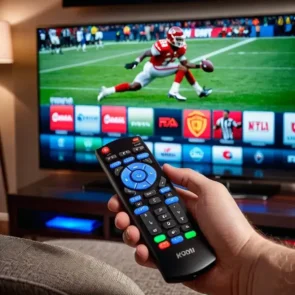
IPTV Canada Guide 2026: How It Works, Setup, Legality & Providers
Finding a flexible alternative to traditional cable television has become a priority for many Canadian households. Viewers want more control over what they watch, support for modern devices and access to Canadian and international entertainment without complicated installations.
This growing demand has made IPTV Canada one of the most searched topics among Canadian streaming users. People want to understand what IPTV is, how it works, whether IPTV is legal in Canada, which devices support it and how to choose a dependable subscription.
A reliable Canada IPTV service can deliver live television, sports, movies, series and international programming over an internet connection. However, IPTV is a delivery technology, not a guarantee of quality or legality. The content rights, service stability, device compatibility and customer support depend on the individual provider.
This complete guide answers the most common IPTV canada questions and helps Canadian viewers understand what to check before choosing a service.

What Is IPTV?
IPTV stands for Internet Protocol Television. It is a system that delivers television programming through an internet connection instead of using traditional cable, satellite or over-the-air broadcasting.
The Canadian Radio-television and Telecommunications Commission describes IPTV as digital television delivered through a high-speed internet connection. You can read the official explanation on the CRTC television options page.
With IPTV, television streams are transmitted using internet protocols. A compatible application or device receives the stream and displays it on your television, phone, tablet or computer.
In simple terms, IPTV lets you watch television using the internet.
A typical IPTV Canada subscription may include:
- Live Canadian and international television channels
- Movies and series on demand
- Sports programming
- News channels
- Kids’ entertainment
- Documentary channels
- Music and lifestyle programming
- Electronic Program Guide information
- Catch-up or replay options on supported channels
The available content and features depend on the provider and subscription plan.
What Does IPTV Stand For?
IPTV stands for Internet Protocol Television.
“Internet Protocol” refers to the system used to send data over the internet. “Television” refers to the video programming delivered through that system.
Unlike conventional television, IPTV does not require every viewer to receive the same broadcast in the same way. The service can send a selected channel, movie or episode to the user when it is requested.
This allows IPTV platforms to combine live channels with on-demand content in one interface.
What Is IPTV TV?
The phrase “IPTV TV” is commonly used by people searching for television delivered through the internet. Although the phrase repeats the word television, it generally refers to the same technology as IPTV.
An IPTV television service normally requires four things:
- A stable internet connection
- A compatible device
- An IPTV player or application
- Access credentials from a provider
Once the service is configured, viewers can browse channel categories, open live streams and access available movies or series.
What Is IPTV Canada?
IPTV Canada refers to IPTV services used by Canadian viewers or services that provide Canadian-focused programming.
A Canada-focused IPTV canada package may contain:
- English-language Canadian channels
- French-language Canadian channels
- National and regional news
- Sports networks
- Entertainment channels
- Children’s programming
- Channels from the United States
- British and European programming
- Multicultural and international categories
People searching for Canada IPTV may have different needs. One household may want Canadian sports and local programming, while another may want French channels, South Asian entertainment, European television or Arabic content.
The best service is therefore not simply the one advertising the highest number of channels. It is the service that provides the content, stability, compatibility and support that the customer actually needs.
How Does IPTV Work?
IPTV converts television programming into data that can be transmitted over an internet connection.
Here is a simplified explanation of how IPTV canada works:
- The content source provides a live channel or on-demand video.
- The IPTV platform processes and organizes the stream.
- The stream is delivered through internet servers.
- The viewer opens an IPTV application.
- The application requests a selected channel or video.
- The stream is delivered to the viewer’s device.
- The device decodes and displays the content.
The process happens quickly, allowing a user to select a channel and begin watching within seconds when the connection and server are performing properly.
Live IPTV
Live IPTV delivers television channels in real time. It is similar to watching a traditional television broadcast, but the video arrives through the internet.
Video on Demand
Video on Demand, commonly called VOD, allows viewers to select a movie or television episode and play it at a convenient time.
Time-Shifted Television
Time-shifted television may allow viewers to replay a recently broadcast program. This feature is sometimes described as catch-up television.
Electronic Program Guide
An Electronic Program Guide organizes television schedules and displays current or upcoming programs. Not all providers or channels offer complete EPG data.
What Is EPG in IPTV?
EPG stands for Electronic Program Guide.
An EPG is the on-screen television schedule that shows what is currently playing and what will be broadcast later.
Depending on the channel and application, an IPTV EPG may show:
- Program names
- Start and ending times
- Episode descriptions
- Movie information
- Sports schedules
- Upcoming programs
- Channel categories
A well-organized EPG makes an IPTV service easier to navigate because the viewer does not have to open each channel to discover what is playing.
If the EPG is missing, first refresh the television guide inside the application. You can also restart the app and confirm that the correct EPG source has been added.
What Are IPTV Boxes?
An IPTV box is a device that connects to a television and runs applications capable of playing IPTV streams.
Most boxes connect to a television through HDMI and access the internet through Wi-Fi or Ethernet.
Common IPTV-compatible devices include:
- Android TV boxes
- Google TV devices
- Amazon Fire TV Stick
- Formuler boxes
- MAG boxes
- Apple TV
- Nvidia Shield
- Other certified streaming devices
An IPTV box is useful when a television does not support the required application or when the user wants a faster and more flexible interface.
Visit the IPTVInca device guide to compare supported streaming devices.
What Is an IPTV Box Used For?
An IPTV box acts as the connection between the television, the internet and the IPTV application.
After connecting the box to the television, the user installs a supported player and enters the credentials supplied with the subscription.
A box may also support other streaming applications, depending on its operating system and available app store.
When comparing IPTV boxes, look at:
- Processor performance
- Available memory
- Internal storage
- Operating system
- App compatibility
- Ethernet connection
- Wi-Fi performance
- 4K support
- Remote-control quality
- Software update support
Avoid choosing a box based only on the lowest price. Very old or underpowered hardware may load large playlists slowly and struggle with high-resolution video.
Do I Need an IPTV Box?
You do not always need a separate IPTV box.
You may be able to use IPTV directly on:
- A compatible Smart TV
- An Amazon Fire TV Stick
- Apple TV
- Android TV
- Google TV
- A smartphone
- A tablet
- A Windows computer
- A Mac computer
A separate box is most useful when your television is not compatible with the required application or when you want improved performance.
How Can I Get IPTV canada?
To get IPTV, you generally need to select a provider, choose a plan, install a compatible application and enter your account information.
The usual process is:
- Confirm that your device is supported.
- Check your internet connection.
- Compare subscription plans.
- Request a trial when available.
- Purchase the appropriate number of connections.
- Receive your login credentials.
- Install the recommended application.
- Add the account to the application.
- Refresh the channels and EPG.
- Test live channels and on-demand content.
You can view available options on the IPTVInca subscription plans page.
New customers who want to test device compatibility can request an IPTV free trial before selecting a longer plan.
How Do I Get IPTV in Canada?
Getting IPTV in Canada follows the same basic process, but Canadian customers should pay particular attention to channel selection, legal transparency, payment security and customer support.
Before subscribing, determine:
- Which Canadian channels you want
- Whether you need French programming
- Which international regions you watch
- Whether sports are important
- How many devices will be used
- How many simultaneous connections are required
- Whether your device supports the provider’s login method
- Whether a trial is available
- Whether the provider explains its terms clearly
A customer in Toronto may have different priorities from a customer searching for IPTV Quebec, IPTV Brampton, IPTV Calgary or IPTV Edmonton.
The city does not usually change how internet television works, but local language preferences, sports interests and channel requirements may be different.
How to Set Up IPTV
The exact setup process depends on the device and application, but the general steps are similar.
Step 1: Choose a Compatible Device
Select a Smart TV, Fire TV Stick, Android TV box, Apple TV, smartphone, tablet or computer.
Step 2: Install an IPTV Player
Download a compatible IPTV player from the official app store whenever possible.
The player is usually only an interface. It does not automatically include a television subscription or channels.
Step 3: Obtain Your Login Information
Your provider may send:
- A username and password
- A server or portal URL
- An M3U playlist
- Xtream Codes information
- A MAG portal address
Step 4: Add the Account
Open the player, choose the appropriate login method and enter the information exactly as provided.
Step 5: Load Channels and VOD
The application should begin loading live channels, movies, series and EPG information.
Step 6: Test Playback
Open several channels from different categories. Test live television, VOD, audio, subtitles and the program guide.
For device-specific assistance, visit the IPTVInca setup tutorials.
How Do I Use IPTV?
After setup, using IPTV is similar to using a normal streaming application.
Open your IPTV player and choose from the available sections, which may include:
- Live TV
- Movies
- Series
- Catch-up
- EPG
- Favourites
- Search
- Recently watched
To improve navigation, create a favourites list containing the channels you watch most often. This can be especially helpful when the subscription includes thousands of channels.
Some applications allow users to hide unwanted countries or categories. Removing unnecessary sections can improve loading speed on older devices.
How to Install IPTV Smarters Pro on Firestick
The installation method can vary based on the app’s current availability in the Amazon Appstore and the Fire TV device’s regional settings.
Method 1: Check the Amazon Appstore
- Open the Fire TV home screen.
- Select Find or Search.
- Search for the exact app name.
- Confirm the developer and app information.
- Select Download or Get.
- Open the app after installation.
- Enter the login details supplied by your provider.
Method 2: Use Another Approved Player
When a specific application is not available, ask your provider which alternative player is supported.
Avoid downloading application files from unknown websites. Unverified files may contain modified software, intrusive advertising or malware.
Amazon documents that Fire TV can run applications installed outside its Appstore, a process commonly called sideloading, but its technical documentation is primarily intended for development and testing. Read Amazon’s official Fire TV installation documentation before changing advanced device settings.
IPTVInca customers can follow the complete Firestick IPTV installation guide.
How to Get IPTV on Firestick
To get IPTV on a Firestick, you need:
- An Amazon Fire TV Stick
- Internet access
- A compatible player
- IPTV subscription credentials
After installing the player, choose the correct login method. Enter your username, password and server information carefully.
Common setup problems include:
- Adding a space before or after the username
- Using the wrong server URL
- Confusing uppercase and lowercase letters
- Selecting the wrong login method
- Entering expired account details
- Using more connections than the plan permits
Contact IPTVInca customer support when your credentials are active but the account does not load.
Can You Use IPTV on Apple TV?
Yes, Apple TV can run compatible IPTV applications available through the App Store.
Apple explains that Apple TV 4K users can browse, purchase and download compatible applications directly from the App Store. Review the Apple TV App Store instructions for the current official process.
To set up IPTV on Apple TV:
- Open the App Store.
- Search for a compatible IPTV player.
- Review its ratings, privacy information and supported formats.
- Install the application.
- Open it and choose the correct login method.
- Enter your subscription credentials.
- Load the channels and EPG.
- Test live and on-demand playback.
Application availability may vary by country, Apple TV model and operating-system version.
Can I Get IPTV on My Laptop?
Yes. IPTV can work on Windows and macOS laptops using a compatible media player, desktop application or secure web player provided by the service.
Before signing in:
- Download software from the official developer website
- Keep your operating system updated
- Avoid unknown browser extensions
- Do not share credentials
- Confirm that the web address uses HTTPS
- Use antivirus protection when appropriate
Laptop viewing can be useful while travelling or when a television is unavailable.
How to Add IPTV to VLC Player
Some IPTV services support M3U playlists that can be opened with VLC.
General steps include:
- Install VLC from the official VideoLAN website.
- Open VLC.
- Select Media.
- Choose Open Network Stream.
- Paste the authorized playlist URL supplied by the provider.
- Select Play.
- Open the playlist view to browse available streams.
Do not share your M3U URL. It may contain private account information and can allow another person to use your connection.
Is IPTV Legal?
IPTV technology itself is legal. It is simply a way of delivering television or video through internet protocols.
The legal issue depends on the content and whether the service has permission to distribute it.
Examples of lawful IPTV-based services include authorized television platforms, broadcaster applications and licensed streaming subscriptions.
A service may create legal risks when it retransmits copyrighted channels, films or events without permission from the rights holders.
Therefore, the question is not only “Is IPTV legal?” A better question is:
Does the specific provider have authorization to distribute the content it offers?
Is IPTV Legal in Canada?
IPTV technology is legal in Canada. Canadian telecommunications and television companies use internet-based television delivery as part of legitimate paid services.
However, using internet technology does not remove copyright obligations.
The Canadian Intellectual Property Office explains that copyright infringement can occur when protected content is copied or communicated to the public without the copyright owner’s authorization. Read the official Government of Canada copyright infringement guide.
A Canadian consumer should therefore distinguish between:
Licensed IPTV
A service that has authorization to distribute its channels and programming.
Unlicensed IPTV
A service that provides copyrighted programming without the required rights or permissions.
Only a court can determine whether infringement has occurred in a specific situation. Customers who need legal advice should consult a qualified Canadian lawyer.
Is IPTV Illegal in Canada?
IPTV is not automatically illegal in Canada.
It becomes legally problematic when a provider distributes protected programming without authorization or when a user knowingly accesses unlawfully distributed content.
Warning signs may include:
- No company information
- No terms or privacy policy
- No explanation of content rights
- Unrealistically broad premium access at an extremely low price
- Requests for unusual or untraceable payment methods
- Applications downloaded from suspicious websites
- No customer-support channel
- A website that disappears frequently
- Claims that the service can never be blocked
- Instructions encouraging users to hide illegal activity
Price alone does not prove that a service is unlawful, but consumers should investigate before paying.
Review the IPTVInca DMCA and copyright policy and DMCA policy for information about service rules and copyright requests.
Is IPTV Canada Legit?
The phrase “IPTV Canada legit” can refer to two different questions:
- Is IPTV technology legitimate?
- Is a particular Canadian IPTV provider trustworthy?
IPTV technology is legitimate. The reliability and legal status of an individual provider require separate evaluation.
Check whether the provider has:
- A secure website
- Visible contact information
- Clear subscription terms
- A privacy policy
- A refund or cancellation policy
- Device tutorials
- Responsive support
- Transparent pricing
- Copyright contact information
- Realistic service claims
Read the About IPTVInca page to learn more about the service and customer-support approach.
Are IPTV Services Legal?
Some IPTV services are legal and licensed. Others may distribute programming without authorization.
Do not assume that every provider offering an application or professional-looking website has the required content rights.
Similarly, do not assume that every internet television service is illegal. Many broadcasters and telecommunications companies use IPTV technology lawfully.
Consumers should research the specific provider rather than judging the technology as a whole.
Is IPTV Worth It?
IPTV may be worth considering when the service is lawful, reliable and compatible with the customer’s viewing needs.
Potential benefits include:
- Live and on-demand content in one interface
- Support for modern streaming devices
- Flexible subscription periods
- International channel options
- Multilingual programming
- Search and favourites features
- EPG support
- No satellite dish
- Access on televisions and portable devices
Possible disadvantages include:
- Dependence on internet quality
- Differences in service reliability
- Incomplete EPG data
- Device setup requirements
- App compatibility changes
- Unclear licensing among some providers
- Buffering during network congestion
- Limitations on simultaneous connections
Use an IPTV trial to test the service before purchasing a long-term subscription.
How Much Is IPTV?
IPTV pricing varies based on:
- Subscription length
- Number of connections
- Channel package
- VOD access
- Device support
- Customer service
- Trial availability
- Additional features
A monthly plan usually costs more per month than a yearly plan, but it requires a smaller commitment.
A longer subscription may provide better overall value after the customer has tested the service.
Do not choose a provider based only on price. A subscription is poor value when the streams are unstable, important channels are missing or support is unavailable.
Compare current options on the IPTVInca pricing page.
How Much Is an IPTV Subscription?
The price of an IPTV subscription depends on the plan and number of simultaneous connections.
One connection normally allows one active stream at a time. A multi-connection package may allow different household members to watch on separate devices simultaneously.
Before paying, confirm:
- Whether prices are displayed in CAD
- Whether taxes are included
- The plan duration
- The number of connections
- Activation time
- Renewal conditions
- Refund eligibility
- Device restrictions
Never assume that “multi-device support” means simultaneous viewing. A service may allow installation on several devices while limiting playback to one device at a time.
What Is a Good IPTV Service?
A good IPTV service should provide more than a large channel number.
Look for:
Stable Playback
Streams should load quickly and remain consistent under normal network conditions.
Relevant Channel Selection
The package should contain the Canadian, French, sports or international categories you actually watch.
Device Compatibility
The provider should support your Smart TV, Firestick, Apple TV, Android device, box or computer.
Clear Setup Instructions
Tutorials should explain installation without requiring technical experience.
Responsive Customer Support
Support should help with activation, login problems, EPG issues and troubleshooting.
Secure Checkout
The payment page should use HTTPS and clearly identify the merchant.
Transparent Terms
Subscription length, connection limits and renewal rules should be easy to understand.
Trial Availability
A trial gives customers a practical way to evaluate performance.
How to Find an IPTV Provider
Start by identifying your viewing needs before comparing providers.
Ask:
- Which channels do I watch?
- Do I need French or international content?
- Which sports matter to me?
- Do I watch mainly live TV or VOD?
- Which device will I use?
- How many simultaneous streams do I need?
- What is my budget?
- Do I need setup support?
The CRTC provides a useful television service shopping checklist that encourages consumers to compare programming needs, budget and available viewing options.
When checking IPTV Canada reviews, focus on repeated patterns rather than isolated comments. Some reviews may be outdated, promotional or based on internet problems unrelated to the provider.
How to Choose the Best IPTV Provider Canada
The best IPTV provider Canada will depend on the household, but the evaluation process should remain consistent.
Test Before Committing
Use a trial and check performance during the hours when you normally watch television.
Test Important Channels
Do not spend the entire trial browsing random channels. Test the channels and categories you plan to use.
Check VOD Organization
Confirm that movies and series are searchable and organized by season.
Evaluate Support
Ask a setup question before purchasing. A clear and professional response is a positive sign.
Confirm Connection Limits
Make sure the plan supports the number of simultaneous viewers in your household.
Review Policies
Read the privacy policy, terms, refund information and copyright policy.
Avoid Impossible Guarantees
No internet streaming service can truthfully guarantee that every stream will always work under every network condition.
IPTV Canada Reviews: What Should You Trust?
Reviews can help, but they should not replace direct testing.
When reading IPTV reviews, consider:
- When the review was published
- Whether the reviewer tested the service
- Which device and internet connection were used
- Whether the review contains only promotional claims
- Whether weaknesses are mentioned
- Whether the reviewer discloses affiliate relationships
- Whether multiple independent users report the same issue
Searches such as IPTV Canada Reddit can reveal user discussions, but forum posts can also contain advertising, fake recommendations and outdated information.
Treat reviews as one part of your research.
Is IPTV Down?
When IPTV stops working, first determine whether the issue affects:
- One channel
- One category
- The entire account
- One device
- Every device
- Your home internet connection
- The application itself
Try the following troubleshooting steps:
- Test another website or streaming app.
- Restart the IPTV player.
- Restart the streaming device.
- Restart the router.
- Check the account expiry date.
- Test another channel.
- Switch from Wi-Fi to Ethernet.
- Disable unnecessary downloads.
- Refresh the playlist.
- Update the application.
- Contact the provider.
A single unavailable channel does not necessarily mean the entire service is down.
Why Is IPTV Not Working Today?
Common causes include:
- Internet outage
- Weak Wi-Fi
- Expired subscription
- Incorrect credentials
- Application update
- Server maintenance
- Device storage problems
- Too many active connections
- Incorrect date and time settings
- Damaged app cache
- Temporary channel-source issue
When contacting support, provide useful information:
- Device model
- Application name
- Error message
- Affected channels
- Time the problem started
- Whether other apps work
- Whether you restarted the device
This allows support to diagnose the problem more efficiently.
Does Lowering the Buffer Limit in IPTV Smarters Pro Help?
A buffer setting controls how much video data the application attempts to prepare before playback.
Lowering the buffer may make a stream start faster, but it can also make playback more sensitive to temporary network drops.
Increasing the buffer may help on an inconsistent connection, but it can create a longer delay before the stream begins.
There is no single best buffer setting for every device. Performance depends on:
- Internet stability
- Available device memory
- Application version
- Stream quality
- Wi-Fi congestion
- Server response
Make small changes and test the same channel under similar conditions. Avoid changing several settings at once because it becomes difficult to identify what improved or harmed performance.
How to Reduce IPTV Buffering
Try these practical steps:
- Use Ethernet instead of Wi-Fi
- Move the device closer to the router
- Use a 5 GHz Wi-Fi network
- Restart the router
- Close background applications
- Clear the player cache
- Free device storage
- Update the player
- Test a lower-resolution stream
- Avoid simultaneous large downloads
- Use a modern streaming device
- Test another DNS service only when appropriate
- Contact your internet provider about recurring congestion
A fast speed-test result does not always guarantee stable streaming. Packet loss, latency and Wi-Fi interference also affect playback.
What Internet Speed Does IPTV Need?
The required speed varies according to stream quality and household activity.
General targets include:
- Standard definition: approximately 10 Mbps
- HD: approximately 20–25 Mbps
- Full HD: approximately 25–35 Mbps
- 4K: approximately 50 Mbps or more
These are practical estimates, not guarantees.
A household running several simultaneous streams, video calls, downloads and online games will require more bandwidth.
Connection stability is as important as maximum speed.
IPTV Ontario, Quebec and Canadian Cities
IPTV technology works through the internet, so the setup is broadly similar across Canada.
However, regional search terms reveal different viewing interests.
IPTV Ontario
Ontario viewers may want English Canadian channels, multicultural programming, sports and United States networks.
Explore the IPTV Ontario viewing information.
IPTV Toronto
Toronto households often require diverse international categories alongside Canadian programming.
Learn more on the IPTV Toronto page.
IPTV Brampton
Brampton users may prioritize Canadian, South Asian, British and international entertainment.
Visit the IPTV Brampton viewing information.
IPTV Quebec
Quebec viewers may want French Canadian channels together with programming from France, Belgium, Switzerland and other French-speaking regions.
Explore IPTV Quebec options.
IPTV Montreal
Montreal households may want a combination of French, English and multicultural programming.
Read the IPTV Montreal guide.
IPTV Calgary and Edmonton
Alberta viewers may prioritize sports, news, Canadian entertainment and international channel packages.
See the IPTV Calgary viewing information and IPTV Edmonton viewing information.
Create these location pages only when each page contains genuinely useful and locally relevant content. Avoid publishing dozens of nearly identical pages with only the city name changed.
Why Choose IPTVInca.ca?
IPTVInca.ca is built for viewers searching for a flexible IPTV Canada experience across popular streaming devices.
The service is designed around:
- Canadian and international channel categories
- Live television
- Movies and series on demand
- HD, Full HD and supported 4K content
- Smart TV compatibility
- Firestick support
- Android and Google TV support
- Apple TV compatibility through supported players
- Computer and mobile access
- Flexible subscription durations
- Setup assistance
- Customer support
- Trial availability
Customers should begin by checking the subscription plans, reviewing the supported devices and requesting a free IPTV trial.
Frequently Asked Questions
What is IPTV?
IPTV is Internet Protocol Television, a system that delivers television and video through an internet connection rather than traditional cable or satellite broadcasting.
What is IPTV and how does it work?
IPTV sends live channels or on-demand video through internet servers. A compatible application requests the selected stream and displays it on the viewer’s device.
Is IPTV legal?
IPTV technology is legal. The legality of a service depends on whether it has authorization to distribute the content it offers.
Is IPTV legal in Canada?
Yes, IPTV \ canada technology is legal in Canada. Distributing copyrighted programming without authorization may violate Canadian copyright law.
Is IPTV illegal in Canada?
IPTV is not automatically illegal. Unlicensed distribution or access to unlawfully distributed copyrighted content may create legal issues.
How do I get IPTV?
Choose a provider, confirm device compatibility, select a subscription, install a supported player and enter the credentials provided with the account.
How do I set up IPTV?
Install a compatible player, select the correct login method, enter your account details and allow the application to load the channels and EPG.
Can I put IPTV on a Firestick?
Yes. Fire TV devices support streaming applications. Use an app from a trusted source and follow your provider’s setup instructions.
Can I use IPTV on Apple TV?
Yes. Compatible IPTV players can be downloaded through the Apple TV App Store when available for your device and region.
Can I use IPTV on a laptop?
Yes. Windows and macOS users can access IPTV through supported desktop players, media applications or secure web players.
What is an IPTV box?
An IPTV box is a streaming device connected to a television. It runs applications that receive and play internet television streams.
What is EPG on IPTV?
EPG means Electronic Program Guide. It displays television schedules, current programs and upcoming content.
How much is IPTV?
Prices vary by provider, plan duration, connections and features. Compare the complete value rather than selecting only the cheapest service.
Is IPTV worth it?
It may be worthwhile for viewers who choose a reliable and properly authorized service that matches their content, device and budget requirements.
Why is IPTV buffering?
Buffering may be caused by Wi-Fi interference, an unstable internet connection, insufficient device performance, server congestion or application problems.
Is IPTV down right now?
Test other channels, devices and internet services. Then restart the app and router before contacting the provider.
Is IPTV Smarters Pro a subscription?
IPTV Smarters Pro is primarily a player interface. Installing a player does not automatically provide a television subscription or channels.
Can I use IPTV on multiple devices?
Installation may be allowed on several devices, but simultaneous viewing depends on the number of connections included in the subscription.
What is a good IPTV service?
A good service offers stable performance, relevant channels, secure payments, clear terms, compatible applications and responsive customer support.
How do I find a reliable IPTV provider?
Compare trial performance, channel availability, support, legal transparency, device compatibility, connection limits and independent customer feedback.
Final Thoughts
Understanding IPTV Canada begins with recognizing that IPTV is a television-delivery technology. It can support live television, on-demand video, EPG information and streaming across many modern devices.
The quality and legality of a particular IPTV Canada service depend on the provider, its infrastructure, its content rights and its customer policies.
Before choosing a subscription:
- Identify the content you actually watch.
- Confirm device compatibility.
- Check how many simultaneous connections you need.
- Test the service when a trial is available.
- Read the terms and privacy policy.
- Review copyright and legal information.
- Compare customer support.
- Use secure payment methods.
- Avoid unverified applications and suspicious downloads.
- Select a plan only after testing performance.
To begin, explore the IPTVInca.ca plans, request an IPTV Canada free trial or contact the IPTVInca support team for setup assistance.